Skip to content
Vesslo

Understand, update, and safely organize every Mac app.

Remember what each app is for with searchable notes and tags, update it through the right source, and remove it safely when it is no longer needed. Vesslo keeps the full record, from the installed library to deleted-app history and inventory comparison.

  • Homebrew
  • Sparkle
  • App Store
  • Manual installers

Vesslo 2.0.1 · Build 28

one-time purchase
$16.99
per license
2 Macs
full trial
14 days
system requirement
macOS 13+

UPDATE MANAGEMENT

An update alert matters only when you know what to do next.

Vesslo connects source detection, readiness, batch and automatic actions, verification, recovery, and activity into one update workflow.

01 · Before updating

Find updates and know what is ready.

Review available updates by source and separate actions that can run now from apps that need a manual or preparatory step.

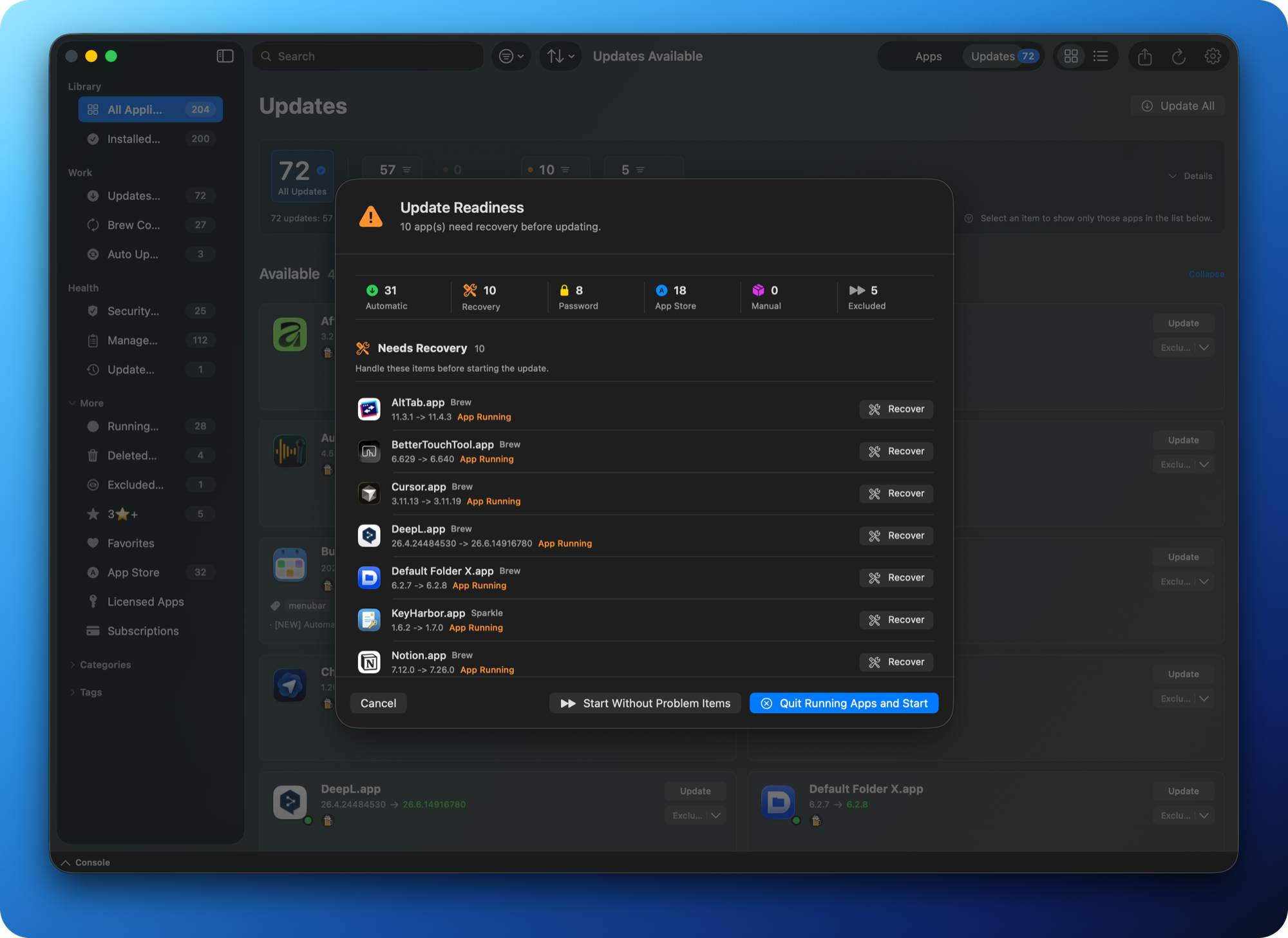
Update readiness

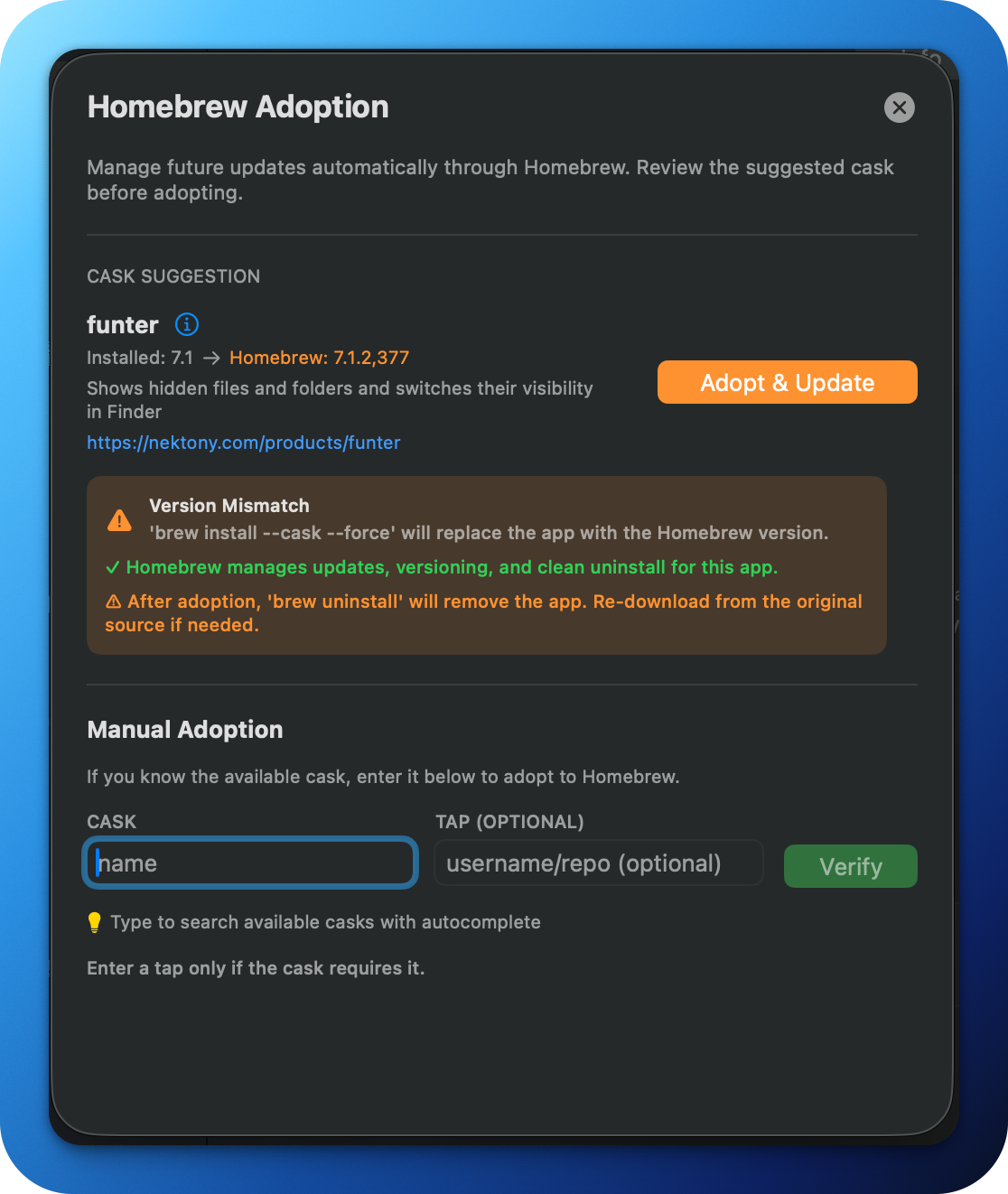
See ready apps, running apps, manual actions, and excluded items before anything starts.

Update evidence

Check the installed version, target version, detected source, and selected route for each app.

Batch review

Choose the apps you intend to update and keep progress tied to that selection.

The readiness sheet separates executable updates from apps that need attention before starting.

02 · During and after updating

Run the right action and understand what needs follow-up.

Vesslo keeps the chosen update route explicit and distinguishes an update failure from work that must finish in the App Store, an installer, or Terminal.

Source-specific action

Use the eligible Homebrew, Sparkle, App Store, or installer action instead of a generic update button.

Failure and next action

See why an update stopped and whether to retry, close a running app, or complete a manual step.

Verification pending

Keep external or manual work visible until the installed state can be checked again.

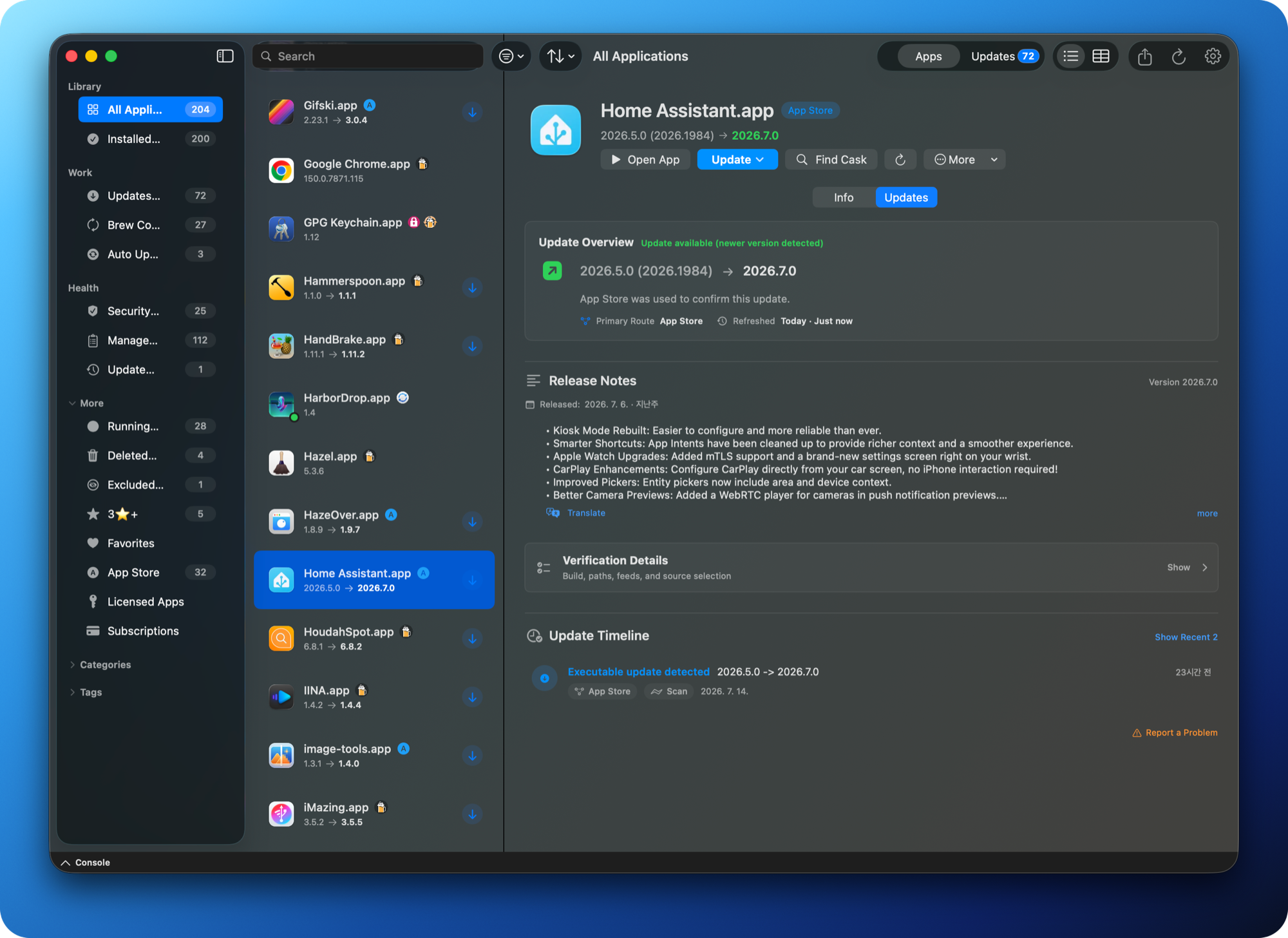
Verification Details shows the source, route, version, and evidence used for the current action.

03 · After updating

Verify the result and keep it with the app.

The work does not disappear when an installer closes. Vesslo keeps pending verification, recovery guidance, and version history connected to the app that produced them.

Update Activity and Timeline

Review recent attempts, routes, outcomes, and app-level version events from one consistent record.

Verification and recovery

Recheck the installed state, retain pending work, and return to the right recovery action when needed.

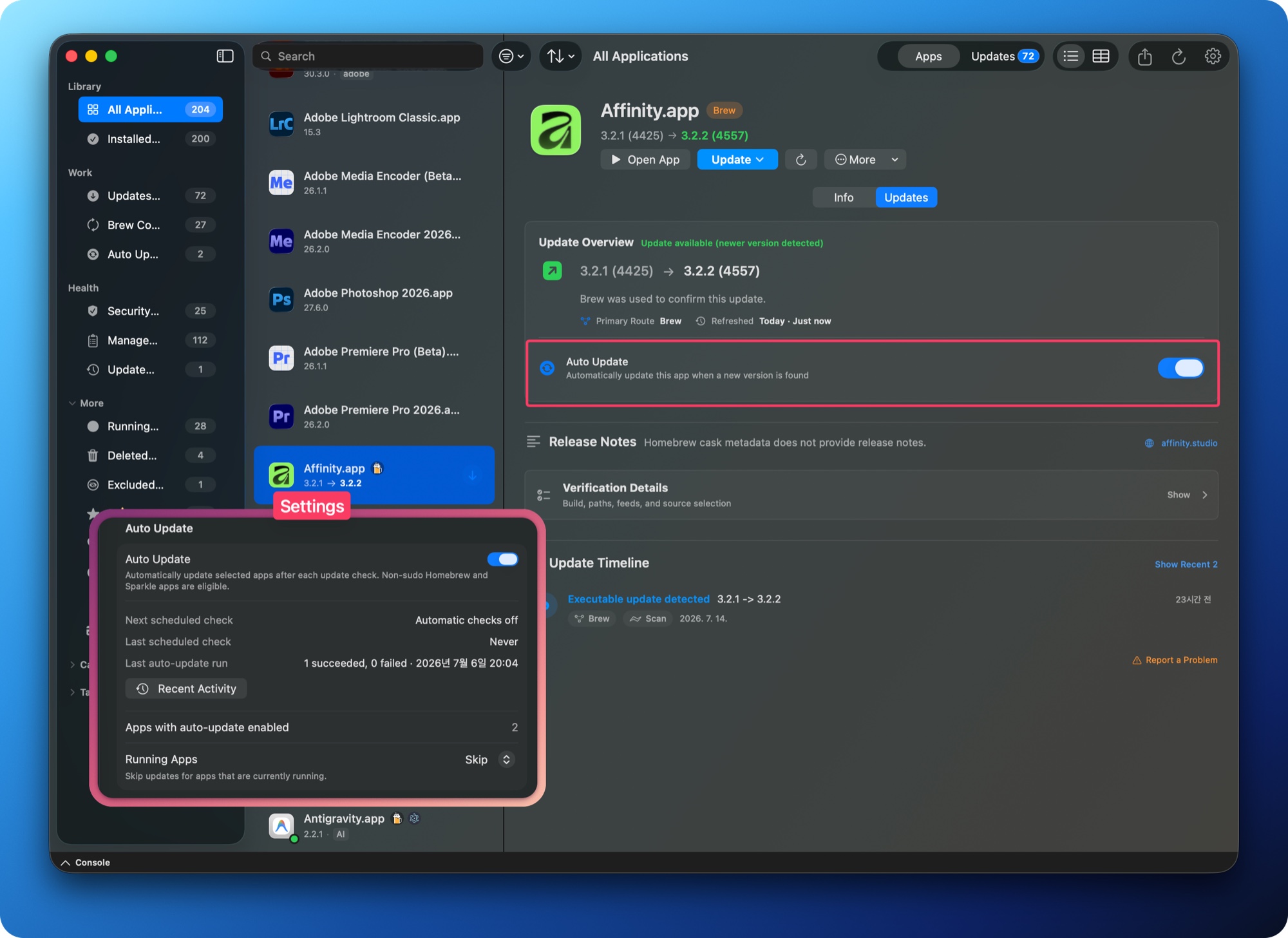
Automatic update diagnostics

See the last run, the next scheduled run, and why an app was skipped or needs a manual action.

Update Timeline keeps version changes and the route used beside the app that produced them.

YOUR APP LIBRARY

Useful long after the update notification is gone.

Keep the reason each app belongs on your Mac, find it even when you forget its name, preserve context after removal, and carry your management records to the next Mac.

01 · Remember and find

Let notes and tags remember why you installed an app.

Search by purpose, decision, or caution even when the app's name has slipped your mind. Keep that context beside the app's version, update route, support status, and read-only KeyHarbor license summary.

Searchable notes and tags

Record what an app does, why you chose it, and what to remember, then group related apps with tags.

One app, one context

See version, update source, support checks, and license context without piecing them together across separate tools.

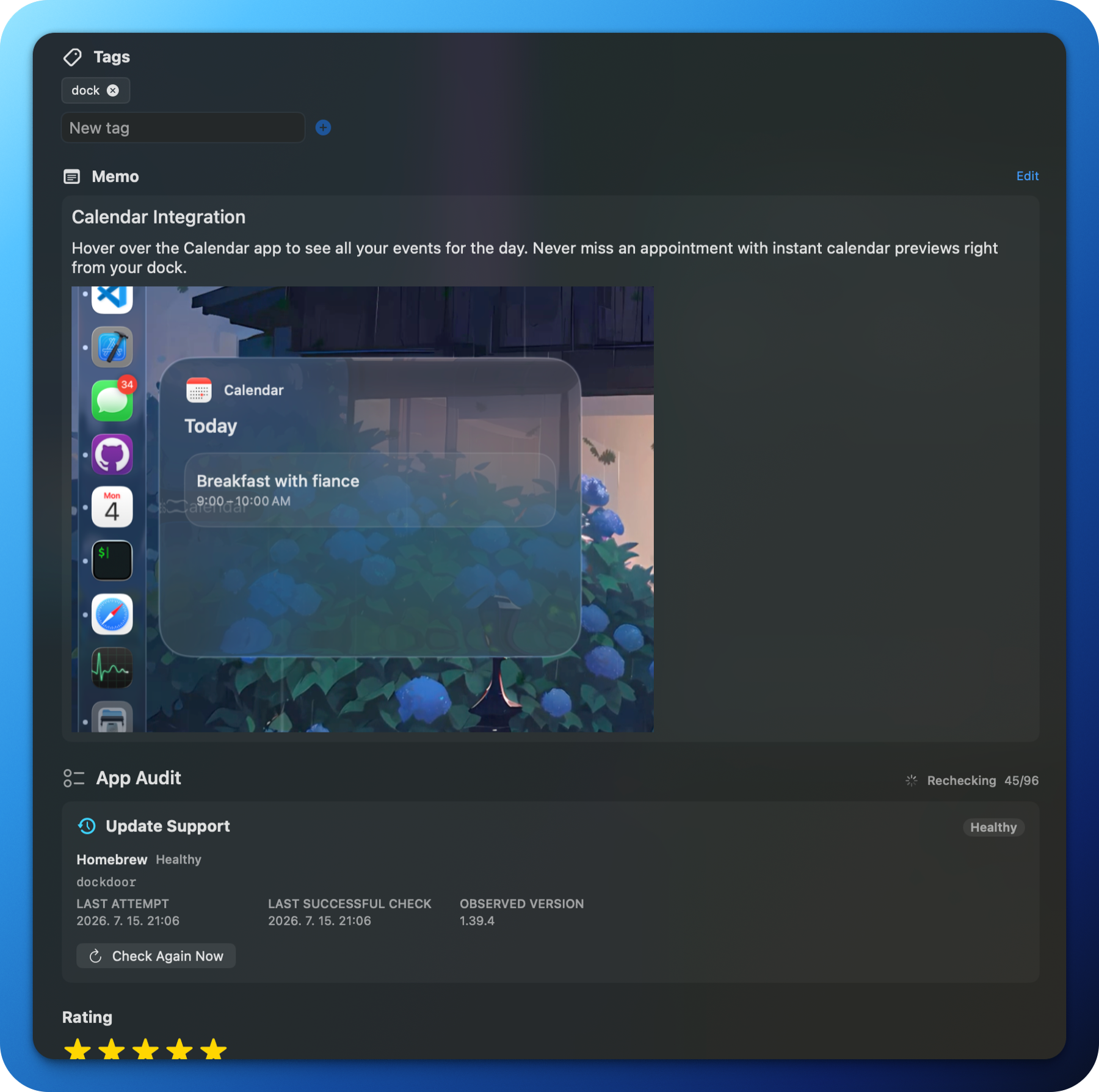
Notes, tags, update evidence, and a read-only KeyHarbor license summary stay with the app they describe.

02 · Remove with context

Removal does not have to erase the app's history.

Check running processes, related files, and protected paths before removal. Afterwards, the Deleted Apps library keeps the identity, version, and known update source available for reference.

Safety before deletion

Review running state and the related files involved before approving removal.

Deleted-app history

Return to a dedicated history instead of losing every trace of an app the moment its bundle disappears.

Deleted Apps preserves a reviewable list of removed apps, including versions and known update sources.

03 · Back up and continue

Carry your app library forward when your Mac changes.

Export an app inventory, compare it with another Mac, and restore only supported user metadata. Vesslo also keeps notes and tags available as a separate backup and migration path.

Inventory for real review

Export app, update, license-summary, and audit context as CSV, JSON, or Brewfile according to the selected scope.

Selective metadata restore

Compare first, then restore supported notes, tags, favorites, and ignored state without altering application bundles.

Inventory, compare and restore, and notes and tags backup tools make the library portable without hiding what will change.

Frequently asked questions

What does Vesslo manage?

Vesslo organizes installed Mac apps with search, notes, tags, categories, favorites, update routes, readiness, verification, recovery, activity, safe uninstall, deleted-app history, and inventory comparison and restore. Coverage and available actions depend on each app and its update path.

Does Vesslo update every Mac app automatically?

No. Vesslo identifies compatible paths and shows when an app needs review or a manual step. It does not promise universal or fully automatic updating.

What happens when an update needs attention?

Vesslo shows whether you should retry, close a running app, finish in the App Store or an installer, or verify the installed state later. It does not claim that every third-party update can be reversed.

Does Vesslo store or edit licenses and subscriptions?

No. KeyHarbor remains the source of truth for license and subscription data. When KeyHarbor is installed, Vesslo reads only its summary so you can view that context beside an app; registration and editing stay in KeyHarbor.

What is included with a license?

A Vesslo license is a $16.99 one-time purchase for up to two Macs. You can evaluate the full product with a 14-day trial on macOS 13 or later.

VESSLO 2.0.1

Manage every Mac app from installation to lasting record.

Organize your app library, manage updates, uninstall safely, and preserve the context you will need later. Try the complete Vesslo workflow for 14 days.